Decorate Me Tools Hub
Repeatable checklists and utilities that turn decorating taste into a match routine.
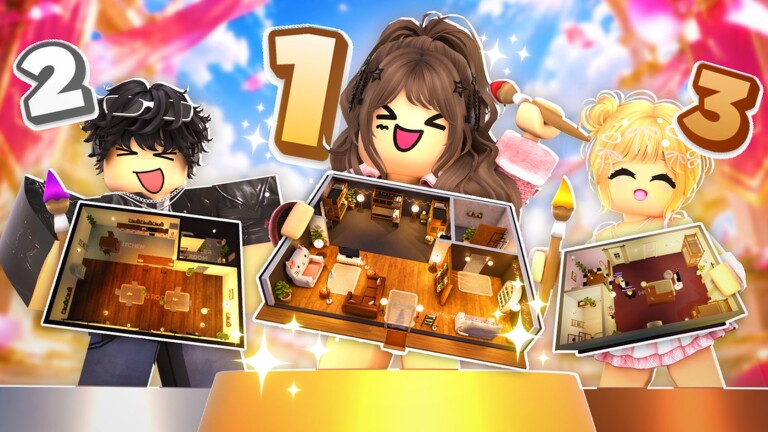
The Tools Hub collects practical, reusable aids for Decorate Me! players who want fewer why-did-I-lose-that-vote moments. Guides teach concepts; tools turn concepts into a thirty-second ritual before you submit. Start here when you already know the basics from Getting Started and want consistency while climbing toward Design Elite.
Decorate Me! is a free Roblox decorating and voting experience (released 2026-10-09, max eight players, weekly decor, seasonal events). Tools on this wiki stay vanilla-friendly: mental checklists, planning frames, and links to strategy pages—not account-risking executors. For script discussions see Scripts with caution.
Featured tool
- Theme Checklist —A printable mental checklist covering lighting, focal point, theme keywords, clutter, and color harmony before you submit a design.
- Vote Scorecard — A four-pillar voting rubric for fair scores and cleaner Design Elite feedback.
Use that checklist every round for a week. Muscle memory beats last-second panic, especially during loud seasons like Halloween 2026.
How to build a personal tool stack
- Prompt decoder —Keep the themes guide open until slangy prompts feel easy.
- Item shortlist —Maintain a note of your S/A heroes from the decor items tier list.
- Theme difficulty map —Skim themes tier list when the prompt feels cursed.
- Pre-submit checklist —Run theme checklist once without moving the camera obsessively.
- Post-vote journal —One sentence on why the winner beat you; tie it to voting tips.
This stack costs nothing and scales with weekly decor drops tracked on the Updates Hub.
Why checklists win decorating games
Taste looks magical from the outside. Inside Elite-level play it is usually a boring sequence: read keywords, place hero, light the hero, echo colors, cut clutter, submit with time to vote. Checklists protect that sequence when the lobby is noisy or the special theme tempts maximalism.
If you skip tools and only read lore-like tips, you will remember ideas and still forget lighting under time pressure. Pair this hub with how to win and controls so mechanical speed supports the ritual.
Tooling boundaries (what we will not promote)
- Anything that auto-votes or tampers with boards
- Account-sharing “boost—services
- Unverified executors promised after every patch
Those paths fight the Design Elite fantasy and can erase your progress. Prefer codes for legitimate freebies and group news from Decorate Me (57544224).
Suggested weekly maintenance
After each weekly decor drop:
- Add truly versatile new heroes to your shortlist tool
- Mark seasonal-only props so you do not force them into cozy prompts
- Rehearse the checklist once with the new pieces on a low-stakes round
- Check Updates for special themes that need a temporary checklist tweak (for example, “do not black-out the room—during Halloween)
Related hubs
- Guides —Deep how-tos
- Tier List —What to prioritize in the kit
- Players —Community and Elite context
- Updates —When tools need revision
Bookmark the Tools Hub beside your tier lists. When a losing streak hits, do not buy panic furniture first—run the checklist colder and slower for three rounds. Most slumps are process breaks, not inventory gaps.
As the catalog grows, we may add more utilities (palette planners, room-shape notes, event countdown checklists). The standard remains the same: every tool must help you ship a clearer room before the timer hits zero, then vote with a sharper eye than you had last week.
Frequently Asked Questions
Quick answers about decorating, voting, codes, and Design Elite.
What tools does this wiki offer for Decorate Me?
Practical checklists and planning aids, starting with the theme checklist for lighting, focal point, keywords, clutter, and color harmony.
Are these in-game software tools?
No. They are wiki utilities and mental routines you apply inside normal Roblox play without risky executors.
When should I use the theme checklist?
Once near the end of every decorate timer, before submitting, especially during events and Design Elite grind sessions.
Will more tools be added later?
Yes as the game’s live service grows. Weekly decor and new special themes often create demand for fresh planners.