Getting Started in Decorate Me
Your first session checklist — from lobby join to first votes and Design Elite goals.
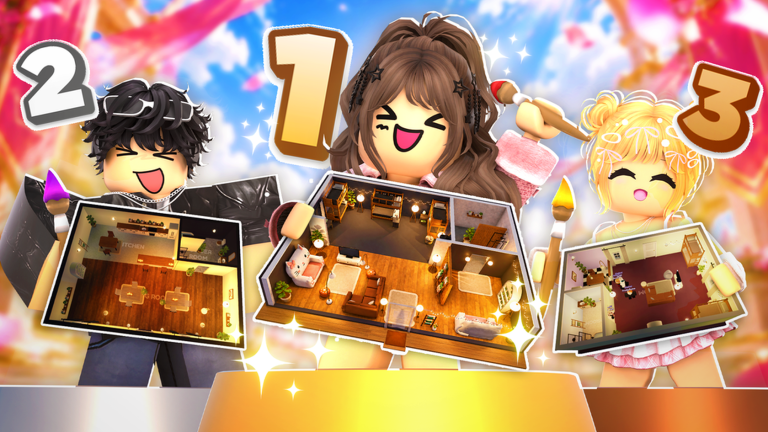
Decorate Me! is a free Roblox Roleplay and Avatar Sim experience where you decorate homes to a theme, vote on other players’ designs, and climb the Design Elite board. Servers are small (about eight players), rounds are timed, and weekly decor keeps the catalog moving. This getting-started guide is for your first hour: how to join cleanly, what to do when the theme appears, how to place a readable room without panic, how to vote fairly, and which wiki pages to open next. Released on 2026-10-09 by the Decorate Me group, the game rewards clear theme reads more than raw item count — so your first wins come from process, not spending.
Before you press Play
Open the official place from Roblox, confirm you are joining a public server with free slots, and optionally join the Decorate Me community for announcements. If promo codes are live, claim them first using the steps on how to redeem codes and the live list on Codes. Free starter furniture and currency shorten the awkward first rounds where inventory feels empty. Skim Controls once so place, move, rotate, and delete feel familiar on your device before a timer is running.
Set a simple first-session goal: finish two full rounds with rooms that obviously match the prompt, cast thoughtful votes each time, and note one placement habit to improve. Do not chase Design Elite rank on day one. The board rewards consistency; your job now is building a repeatable decorate loop.
First minutes in a server
When you load in, find the lobby or waiting area and watch the HUD for the next theme and timer. Servers of eight mean every design will be seen, so treat the lobby as planning time rather than AFK time. Decide a default color strategy you can reuse: one primary color, one support color, and one accent. That trio travels well across many prompts and stops you from grabbing every bright item in the catalog.
If the UI feels stuck or furniture previews fail to appear, leave and rejoin once — many decorate experiences on Roblox recover cleanly after a fresh session. Keep graphics settings comfortable so you can see edges and snap points; competitive rooms need precision more than maximum particles.
Reading the theme without overthinking
When the theme banner appears, say the prompt out loud in three words. Example: “cozy autumn cabin” becomes warm wood, soft textiles, and soft light. “Ocean resort lounge” becomes blues, rattan or light wood, and open space. If the prompt is abstract, pick one concrete story and commit. Voters only have a short window to judge, so a simple story beats a cluttered masterpiece that could fit any theme.
Use the Themes Guide for a deeper playbook, and keep the theme checklist open on a second screen if you want a live reminder. For ranked opinions on which prompts are hard or rewarding, browse the themes tier list. Seasonal prompts from Halloween 2026 often reward mood props — pumpkins, candles, spooky lighting — but still need a readable layout, not a prop dump.
Place a room that finishes on time
Work in this order every round until it becomes muscle memory:
- Anchor pieces first — sofa, bed, desk, or table that defines the room’s purpose.
- Palette lock — stick to your three-color plan; remove outliers early.
- Theme cue props — one to three objects that scream the prompt from across the room.
- Negative space — leave walk paths and empty wall sections so the design breathes.
- Final pass — rotate misaligned pieces, delete duplicates, check camera angles.
Speed matters because unfinished rooms lose votes even when the idea was good. Practice placement and rotation habits from Controls until moving a chair takes one or two actions instead of ten. When you are unsure which furniture is worth grabbing, skim the decor items tier list after the session, not mid-timer.
Voting and results
After decorate time ends, the lobby reviews each home. Rate designs on theme clarity first, then cohesion and effort. Avoid voting only for friends or only for the rarest furniture — that habit hurts the whole server and makes your own scores noisier. Voting Tips explains fair rating habits and how to present your room so it reads in one glance.
Results feed your climb toward Design Elite. Early on, treat podium finishes as feedback: which of your rooms scored, and which looked busy or off-theme. Log one lesson per session. Over a week of honest practice, your average placement rises faster than grinding random rounds with no review.
First-session checklist
- Redeem any active codes before competing
- Complete at least two full decorate-and-vote cycles
- Finish both rooms before the timer (even if simple)
- Make the theme obvious from the doorway camera angle
- Cast complete, fair votes for every other player
- Note one control or placement habit to drill next time
- Skim Updates so you know if a weekly decor drop changed the catalog
What to open after day one
Move from onboarding into competitive habits with How to Win Design Rounds. Deepen prompt reading with the Themes Guide. Keep Controls bookmarked until PC and mobile inputs feel automatic. For community context and standout designers, visit Players. For utilities during live rounds, use Tools. If you experiment with automation, read Scripts for safety notes first.
Decorate Me! is generous to beginners who stay calm under the timer. Your first wins will come from clear themes, finished rooms, and respectful voting — not from owning every weekly drop on day one. Play two focused sessions with this checklist, then graduate to the win guide.
Frequently Asked Questions
Quick answers about decorating, voting, codes, and Design Elite.
Is Decorate Me free to play?
Yes. Decorate Me! is free on Roblox. Optional purchases and codes can add furniture or currency, but you can learn rounds, themes, and voting without spending.
How many players are in a typical server?
Servers are built for small lobbies of about eight players. That means every design is seen and every vote carries weight.
What should I prioritize in my first round?
Finish a simple room that clearly matches the theme before the timer ends. Theme clarity beats a half-finished fancy layout.
Where do I redeem codes as a beginner?
Follow How to Redeem Codes, then check the Codes hub for the current list. Redeem before you queue so rewards are available in your first sessions.
When should I worry about Design Elite?
After you can finish on-theme rooms consistently. Design Elite rewards steady podium results; learn the decorate loop first, then chase the board.
PC or mobile for learning?
Either works. Learn the control map for your device on the Controls page, then practice place, rotate, and delete until those actions feel automatic.