Decorate Me Guides Hub
Rounds, themes, voting, controls, and Design Elite — practical how-tos in one place.
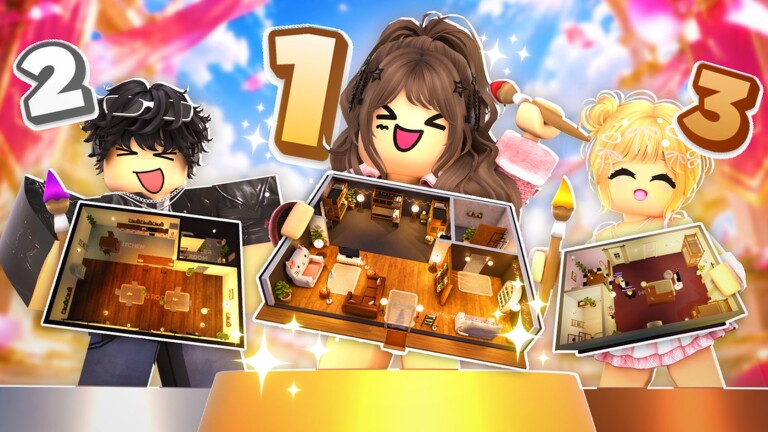
Welcome to the Guides Hub for Decorate Me! on Roblox. This free Roleplay and Avatar Sim experience puts you in small servers of eight players where you decorate homes to a shared theme, vote on each other’s rooms, and climb the Design Elite board. Weekly decor drops keep the catalog fresh, and seasonal events such as Halloween 2026 add limited themes and furniture. These guides answer the questions players ask most: how rounds work, how to place furniture quickly, how to match themes clearly, how voting feels fair, and what to do in your first session.
If you are brand new, start with Getting Started. It walks you from joining a public server through reading the theme banner, stocking a simple palette, placing a readable room, and voting without rushing. Pair that page with Controls so PC and mobile inputs feel natural before the timer becomes stressful.
Core guide map
- Getting Started — first-session checklist, lobby flow, and early goals
- How to Win Design Rounds — theme clarity, focal points, timing, and vote-winning habits
- Themes Guide — how to read prompts and build style plans fast
- Voting Tips — how the vote phase works and how to rate fairly
- Controls — place, move, rotate, delete, camera, and UI tips on PC and mobile
- Color Palettes — three-slot color kits for cozy, luxury, spooky, and coastal prompts
- Common Mistakes — timer panic, clutter, UI rejoin fixes, and voting bias
Use these pages together. A strong theme read from the Themes Guide only helps if you can place and rotate pieces quickly with the habits in Controls. Clear rooms still need fair votes from the lobby, which is covered in Voting Tips. Climbing Design Elite is a long game of consistent podium finishes, not one lucky round.
How a typical session flows
Most sessions cycle through a short lobby or intermission, a theme reveal, a timed decorate phase, a showcase or walkthrough of each home, then voting and results. Servers stay small (about eight players), so every design is visible and every vote matters. Because the loop is short and social, the players who win more often are not always the ones with the rarest furniture. They are the ones who lock a readable concept early, finish a cohesive room before the clock hits zero, and present a space that answers the prompt in a single glance.
That is why this hub emphasizes process over shopping lists. Browse the decor items tier list and themes tier list when you want ranked opinions, then return here for the how-to layer. Check Codes and how to redeem when free currency or furniture drops appear. Track patch notes on the Updates hub, including seasonal pages such as Halloween 2026. For player boards and standout designers, visit Players and Design Elite. Utility pages live under Tools, including the theme checklist. Script safety notes sit on Scripts.
What these guides optimize for
Player pain points in Decorate Me! cluster around five themes: understanding the round structure, placing and rotating furniture without fighting the UI, matching the prompt so votes climb, climbing Design Elite without burning out, and learning controls that differ between keyboard and touch. Each guide below attacks one of those pains with concrete steps, examples, and FAQs. We avoid filler and keep internal links locale-agnostic so every language version of the wiki can resolve the same paths.
Read one guide deeply, then play two or three rounds applying only that lesson. For example, spend a session only on theme clarity from the Themes Guide, then a session only on placement speed from Controls. Stacking habits this way raises your average score faster than trying to master everything at once. When you are ready for competitive polish, open How to Win Design Rounds and treat each intermission as planning time instead of idle time.
Related hubs outside Guides
- Codes — active redeemables and reward notes
- Tier List — ranked decor and theme opinions
- Updates — patch and event history
- Players — community and Design Elite context
- Tools — checklists and helpers for live rounds
- Scripts — safety-first script information
Bookmark this Guides Hub, then pin Getting Started and How to Win Design Rounds for your first week. Come back after each major update to refresh theme habits and control muscle memory.
Frequently Asked Questions
Quick answers about decorating, voting, codes, and Design Elite.
Where should a brand-new Decorate Me player start?
Open Getting Started for the first-session flow, then Controls for PC versus mobile inputs. After two rounds, read Themes Guide so your rooms answer the prompt clearly.
Do these guides replace the tier lists?
No. Guides teach process: reading themes, placing fast, and voting fairly. Tier lists rank decor and themes. Use both — process first, then shopping priorities.
How often should I revisit the Guides Hub?
After any large update, seasonal event, or UI change. Weekly decor and events like Halloween 2026 can shift which placement habits matter most.
Where do I track Design Elite progress tips?
See Players and the Design Elite page for board context, then use How to Win Design Rounds for the habits that feed consistent podium finishes.
Are codes and scripts covered here?
Codes and redemption steps live under Codes. Script safety notes live under Scripts. This hub stays focused on decorate, theme, vote, and control how-tos.