Decorate Me Players Hub
Community, Design Elite overview, and habits that separate casual decorators from climbers.
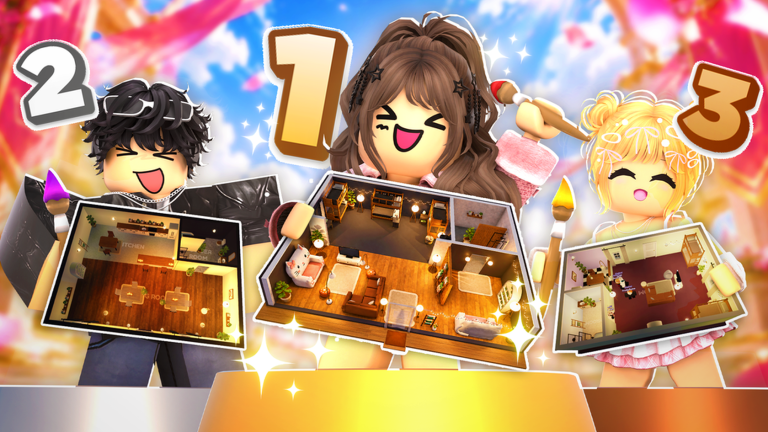
The Players Hub is your map to the Decorate Me! community: how lobbies behave, what Design Elite represents, and which habits help you climb without burning out. Decorate Me! launched on 2026-10-09 as a free Roblox experience where up to eight players decorate to themes, vote on homes, and compete for taste recognition. The official group is Decorate Me (57544224).
Unlike combat rosters in other genres, “players—here means designers in your server—their voting patterns, presentation style, and board progress. Studying people is part of studying the meta.
Start with Design Elite
The headline progression fantasy is clear from the official pitch: design beautiful homes, vote for favorites, compete with friends, climb the design board, and join the Design Elite. Our dedicated guide covers mechanics and climbing tips in depth:
- Design Elite Guide —How the board works, what voters reward, and a practical climb plan.
Skim that page even if you only play casually; Elite standards quietly shape what wins average lobbies.
Community spaces that matter
- In-server lobbies —Eight-player rooms are your live classroom. Watch which rooms get instant votes.
- Decorate Me group (57544224) —Announcements, social proof, and event energy around weekly decor and seasons like Halloween 2026.
- This wiki —Neutral strategy: guides, tier lists, updates, tools, codes.
Be kind in votes and chat. Taste communities collapse when players rage-bait. Thoughtful votes also train your eye, which is a hidden climb skill.
Player archetypes you will meet
Speed decorators lock a readable room early and farm consistent mid-high votes. Study their restraint.
Maximalists flood the grid with event props. Sometimes they win Halloween weeks; often they lose cozy prompts. Learn when their style fits the themes tier list.
Palette specialists obsess over color harmony. Their rooms photograph well and teach the checklist’s harmony step.
Board climbers treat every round as Design Elite practice: keyword discipline, camera-facing focals, polite voting. Copy their process more than their exact furniture.
How to learn from stronger designers
- During voting, ask why a room reads in one second.
- Note lighting first, furniture second.
- Screenshot layouts that beat you and rebuild the structure with your own items.
- Compare against how to win and voting tips.
- Run the theme checklist until it is automatic.
If controls still slow you down, fix that with the controls guide before blaming your inventory. New players should finish Getting Started so UI friction does not masquerade as a skill gap.
Reputation, fairness, and scripts
Climbing with better rooms is the intended path. Treat scripts with extreme caution; anything that automates votes or manipulates boards can violate Roblox rules and cost the account you are trying to prestige. This hub celebrates craft, not exploits.
Fair play also means voting on design quality, not only on friends. Collusion-heavy lobbies teach bad habits that fail in mixed servers.
Weekly rhythm for community players
- Check Updates after each weekly decor drop.
- Re-slot new heroes on the decor items tier list.
- Practice the newest special theme once before a serious Elite session.
- Redeem codes when the group or experience posts them.
- Review one Elite guide section on Design Elite each week.
Why community pages belong on a decorating wiki
Furniture lists tell you what exists. Player pages tell you how humans judge. Decorate Me! is a social taste game inside a Roblox Roleplay and Avatar Sim wrapper. Ignoring voting culture leaves half the skill ceiling untouched.
Use this hub as a hub proper: jump to Design Elite for ladder work, keep guides open for craft, and return after events when lobby preferences shift. The designers who combine empathy with structure climb fastest—and stay welcome in every eight-player server they join.
When you find a player whose rooms consistently beat yours, do not copy item for item. Copy their order of operations: keywords, focal, light, palette, clutter cap. That transferable process is the real Players Hub lesson.
Frequently Asked Questions
Quick answers about decorating, voting, codes, and Design Elite.
What is Design Elite in Decorate Me?
Design Elite is the high board / top-designer status tied to climbing with strong themed rooms and community votes. See the dedicated Design Elite guide for climbing tips.
How many players are in a server?
Matches support up to eight players online, decorating and voting together.
Where is the official community group?
Decorate Me group ID 57544224 on Roblox hosts official community presence and announcements.
How can I improve by watching other players?
During votes, study lighting and focal clarity first. Rebuild winning structures with your own inventory and verify them with the theme checklist.